
QuickBooks Online
Integration
Seamlessly sync field tickets and invoices to QuickBooks Online.
Save data-entry time, reduce errors, and get paid faster.
Unlock your QuickBooks integration with an SP Pro plan.
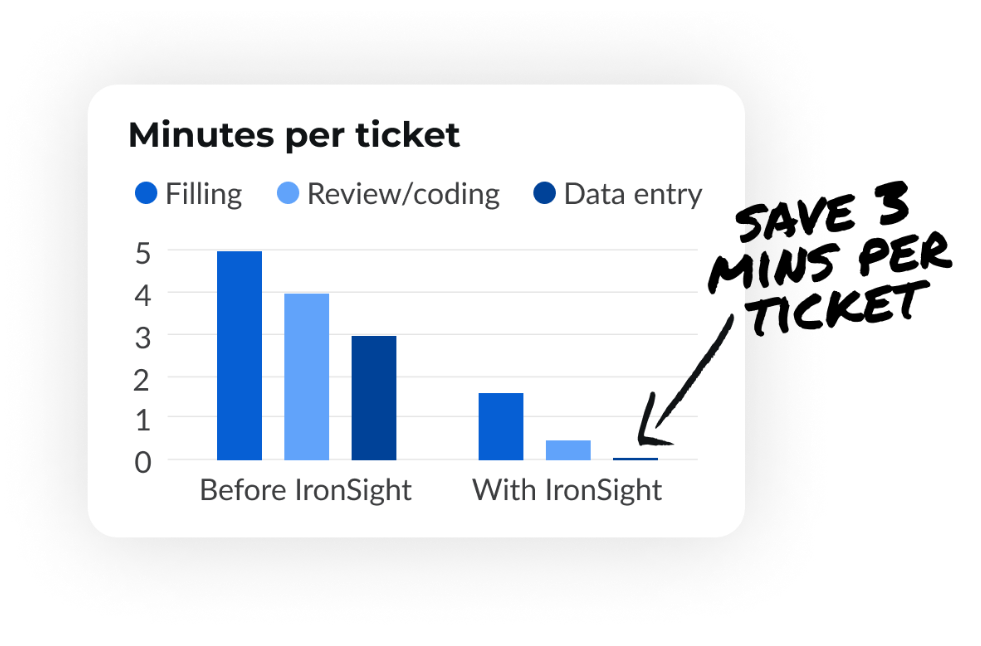
Give office admins time to focus on what matters
Let’s say your team processes 1,000 tickets per month. With IronSight's QuickBooks integration, you’d save about 50 hours per month by eliminating manual data entry. Whether your volume is higher or lower, the time savings scale with your business—freeing your team to focus on what really matters.
Customize invoice mapping, no developer required
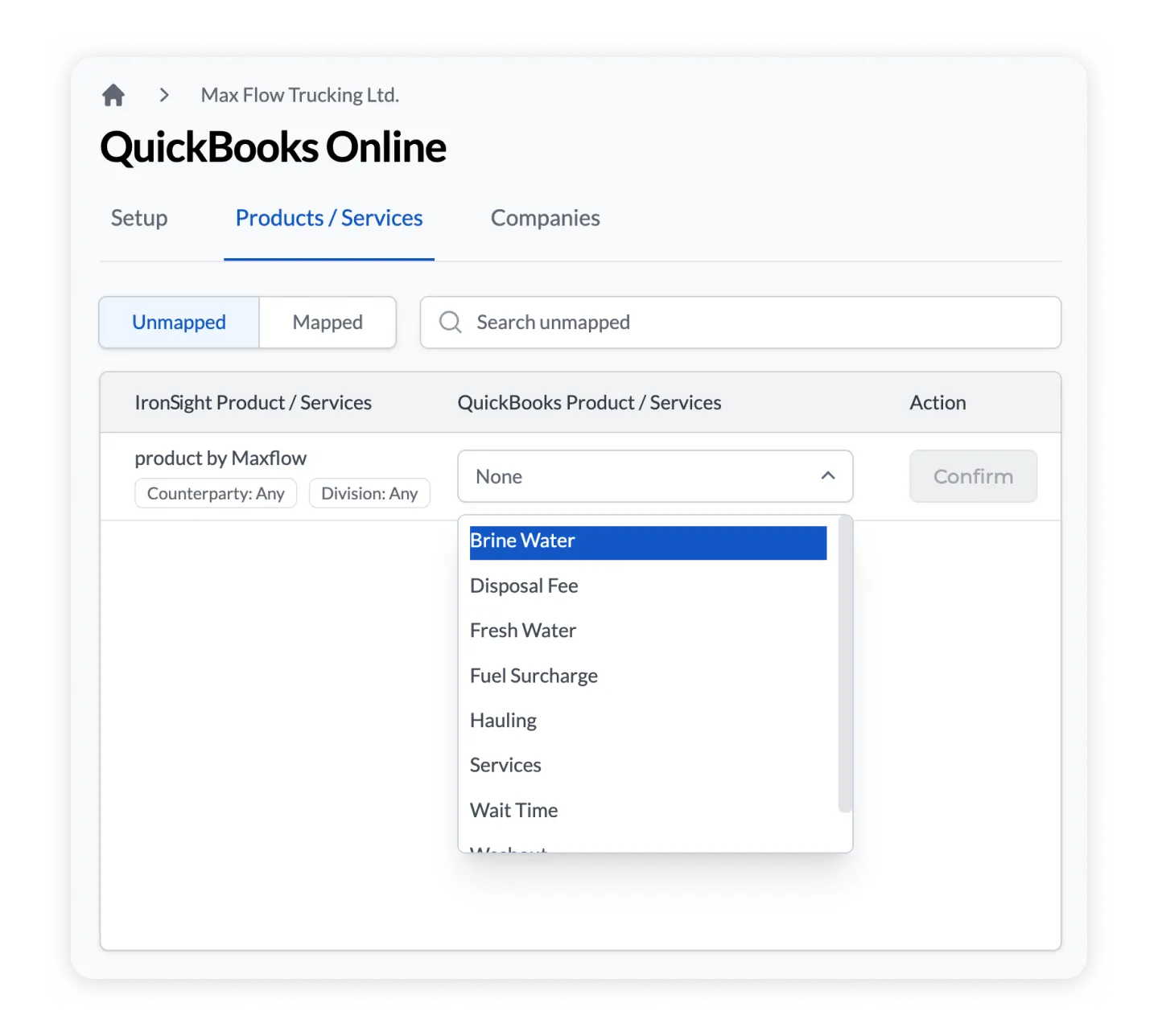
Go to Admin Portal > Available Apps > QuickBooks Online, and connect your QBO account in just a few clicks. Then map exactly what IronSight field data populates what QBO field.
Invoice Descriptions, Headers, ticket number, tank IDs, pickup locations, cost centers and more show up in QuickBooks exactly how you need it.
Configure it once and update it anytime, yourself. No support tickets required.
Sync Batches of IronSight Jobs to create invoices
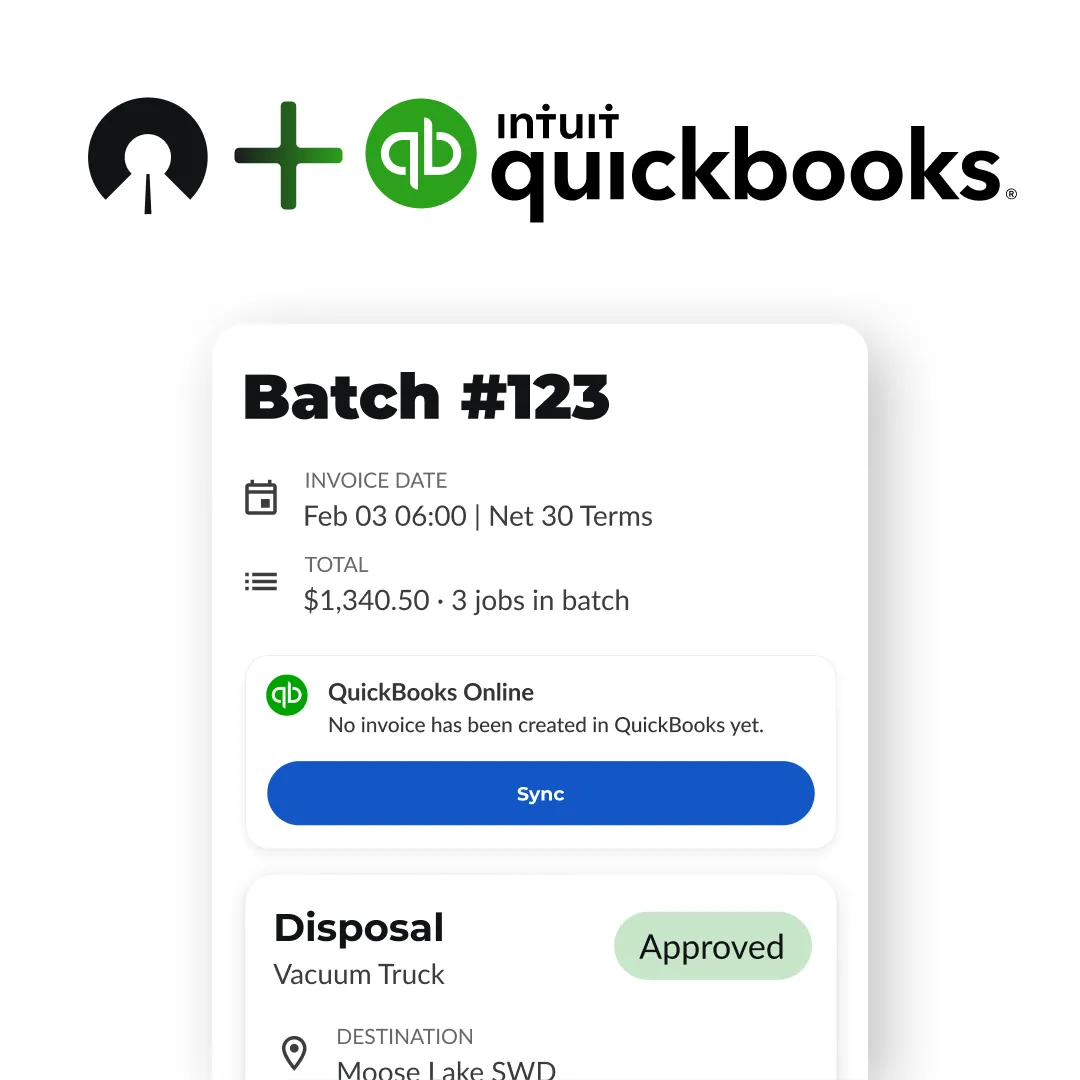
IronSight batches streamline your invoicing by syncing directly with QuickBooks Online.
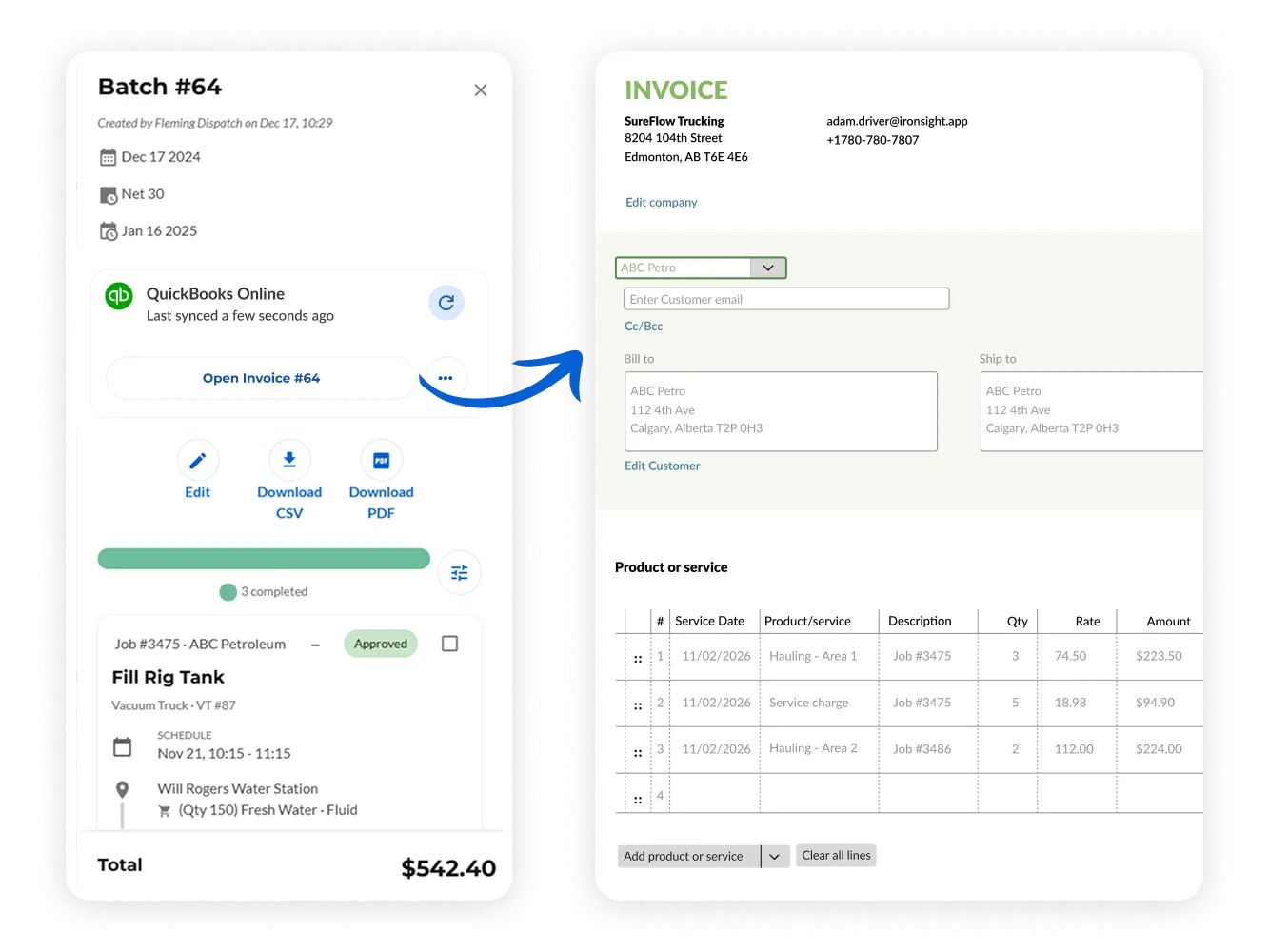
A batch includes all the key details—like invoice number, customer, terms, due date, and memo—along with a collection of jobs. Each job’s line items, including product/service, quantity, rate, line total, and descriptions, map perfectly to QuickBooks invoice fields.
After syncing, an Open in QBO link appears right in IronSight so you can review or send the invoice immediately. No need to hunt through QuickBooks.
Get QBO Sync with IronSight Pro
Integration with QuickBooks Online (QBO) is just one of the features included with a Pro Plan. Click here if you'd like a demo of the full Pro suite, or learn more below.
IronSight Pro features
Going Pro includes multiple features designed to help you win more work, streamline logistics, and eliminate paperwork & repeated data-entry.
.png)
Connect with clients
Expand your business by managing jobs for all your clients within a single, unified platform.

Simple ticketing & invoicing
Streamline ticketing & invoicing by batching costed jobs and exporting to accounting software.
.png)
Digital safety & inspection Forms
Ensure compliance and safety by creating and filling out tailored inspection and safety forms for each job.

Real-time analytics
Gain real-time insights into your business performance with customizable analytics dashboards.

Guest requesters
Invite clients to request & approve jobs in IronSight, helping you win more work and get paid faster.

QuickBooks integration
Automatically sync batches from IronSight to an invoice in QuickBooks
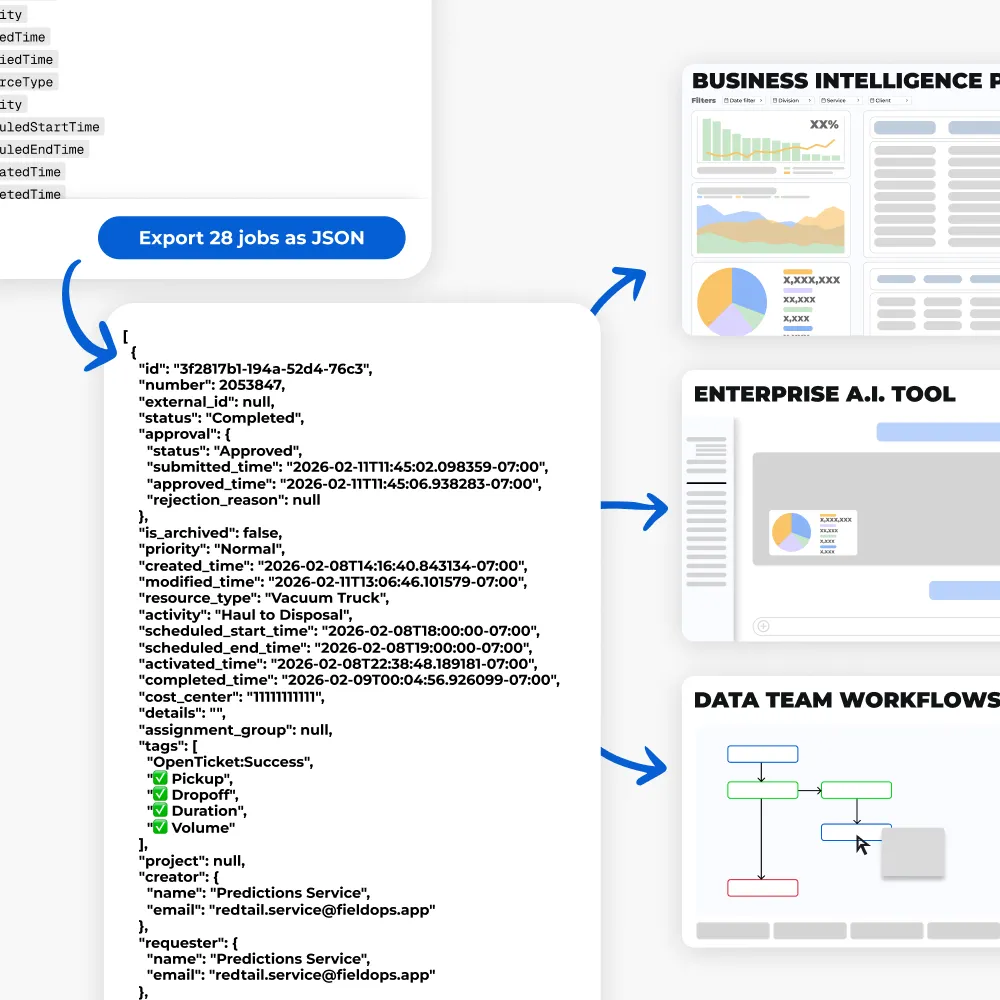
JSON Exports
Export a wider range of data, in a format designed to support advanced workflows.
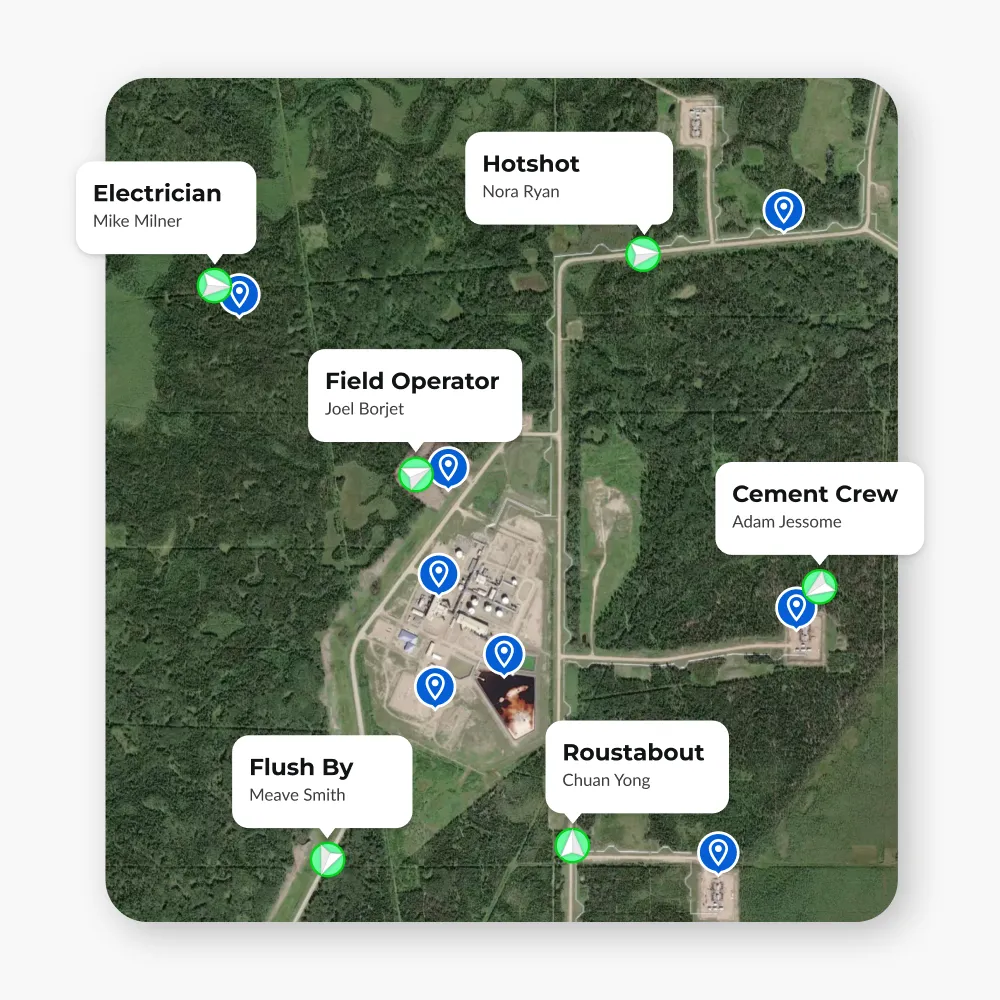
Multiple Service Line Support
Use IronSight for anything. From hauling to maintenance and everything in between,
Marylou Allen
Co-Owner

Jose Marcos Guzmán
President

Steven Nonamaker
Division Manager
.png)
Stephanie Brady
VP of People
& Change Management

FAQ
Access is exclusive to our IronSight Pro plan subscribers. This premium plan includes the QuickBooks Online integration, but also offers an array of advanced features including enhanced ticketing capabilities and digital safety/inspection forms, all designed to streamline your field service operations. Click here to learn more about upgrading to Pro.
A batch in IronSight represents an invoice, containing header details (invoice number, customer, terms, due date, memo) and a collection of jobs. Each job has line items mapped to QuickBooks' invoice lines, including product/service, quantity, rate, line total, and description.
The integration is one-way. IronSight sends invoice data to QuickBooks Online, but changes made in QuickBooks are not pushed back to IronSight.
Product or service names in IronSight must mapped to item names in QuickBooks Online. The Product/Services mapping page in the IronSight QuickBooks App (found in the IronSight Admin Portal) makes this easy to set up.
Create a batch of completed jobs in IronSight, assign invoice details, and click "Sync." IronSight pushes the data directly into QuickBooks Online. A link to the new invoice appears right in IronSight so you can open, review, and send it immediately.
Yes. The self-serve setup in the Admin Portal lets you choose which IronSight fields populate your invoice description column and header, no developer involvement needed. Set it up once and update it anytime.
Ready to automate
your invoicing process?
Sign up for IronSight Pro and give your team more time to focus on what matters.